How to open an Exness account through AlphaOnChart: 7 steps, about 10 minutes
A guide to registering, verifying and making your first deposit on Exness. Sign up through the AlphaOnChart partner link to get 100% of the IB commission refunded automatically, plus daily XAUUSD analysis, the signal group and exclusive Indicators/EAs.
- 01
Get ready before you start
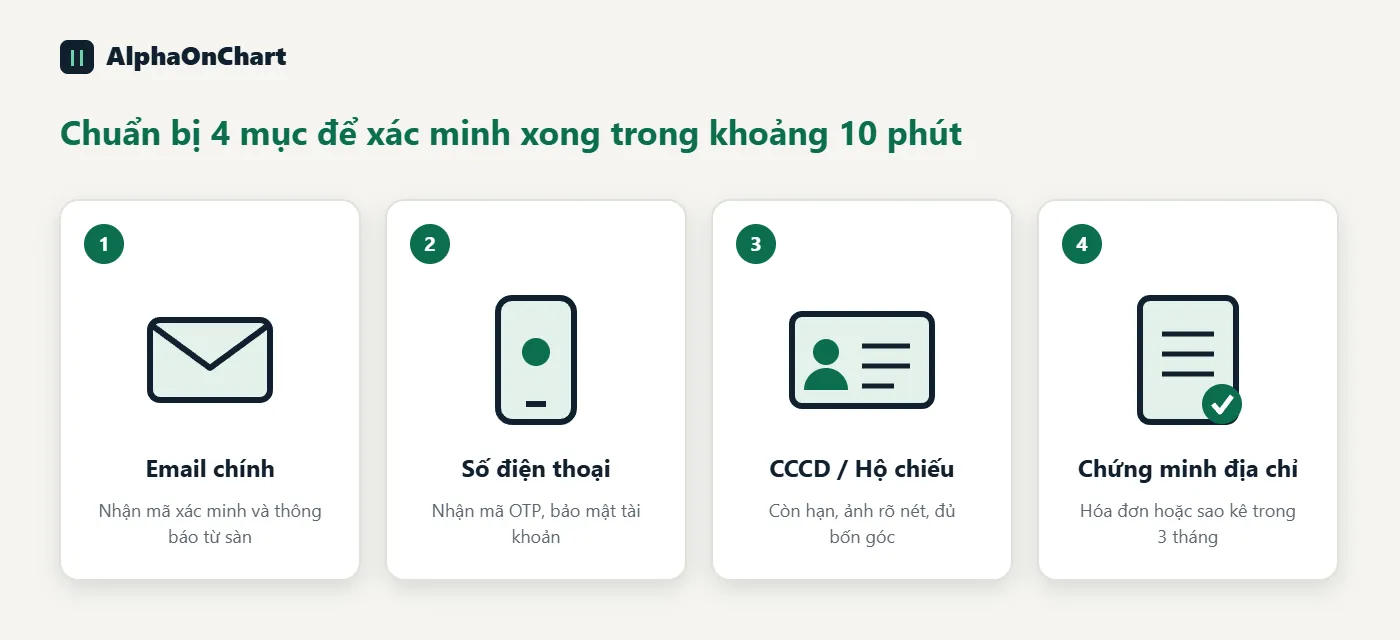
You need: • An email address you actively use (preferably your main one, usable long-term) • A phone number to receive the verification code • A valid national ID card or passport • Proof of address (an electricity or water bill, or a bank statement from the last 3 months) Why prepare in advance: identity verification (KYC) is mandatory at a licensed broker. It confirms the account belongs to its rightful owner, protects your money from impersonation and complies with anti-money-laundering rules. Clear documents with matching information let the broker approve you in minutes instead of asking you to resubmit several times. Full verification is also required to deposit and withdraw without limits.
- 02
Open the sign-up page using the AlphaOnChart link
Click the button below to open the correct AlphaOnChart sign-up page. You must register through this link before creating an account: it is the condition for your account to automatically receive 100% of the IB commission back. If you already have an Exness account, see the guide “Switch your IB to AlphaOnChart”.
Open an Exness account and get 100% commission back → - 03
Create the account: email, password, partner code
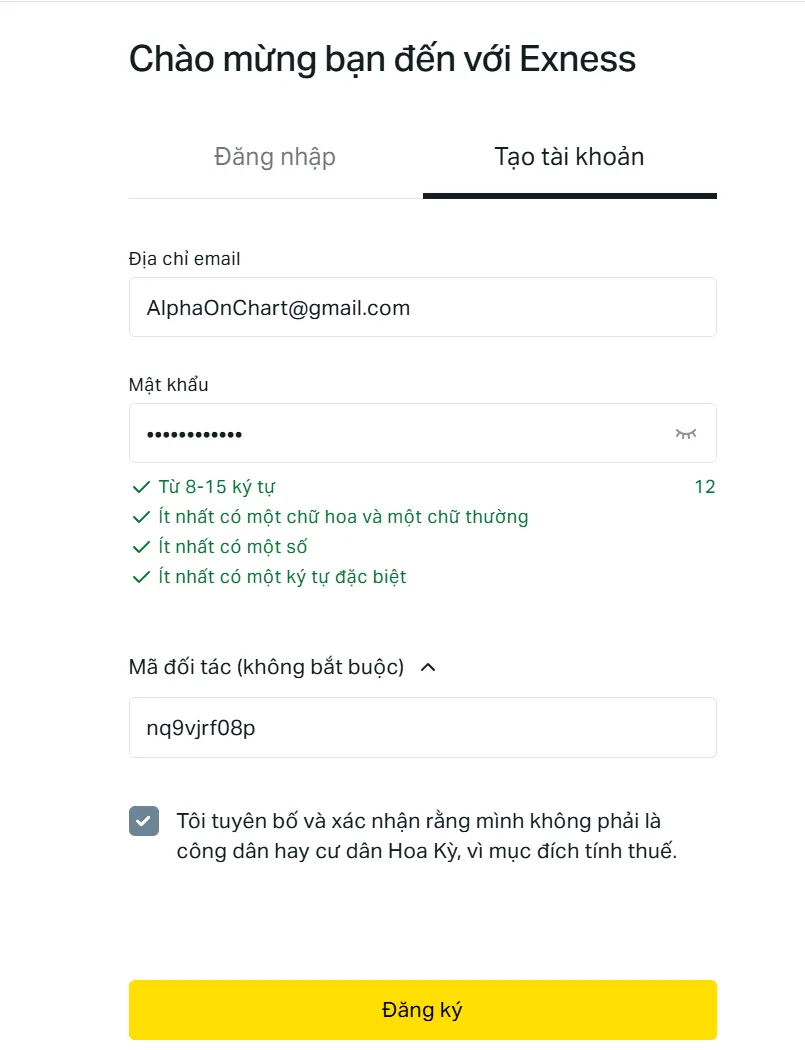
On the “Create account” tab, fill in: • Your email address • A password of 8–15 characters with upper-case and lower-case letters, numbers and a special character • Partner code: nq9vjrf08p (usually pre-filled when you open the right link, so double-check it) Tick the box declaring you are not a US citizen or resident, then click “Sign up”.
- 04
Confirm your email and phone number
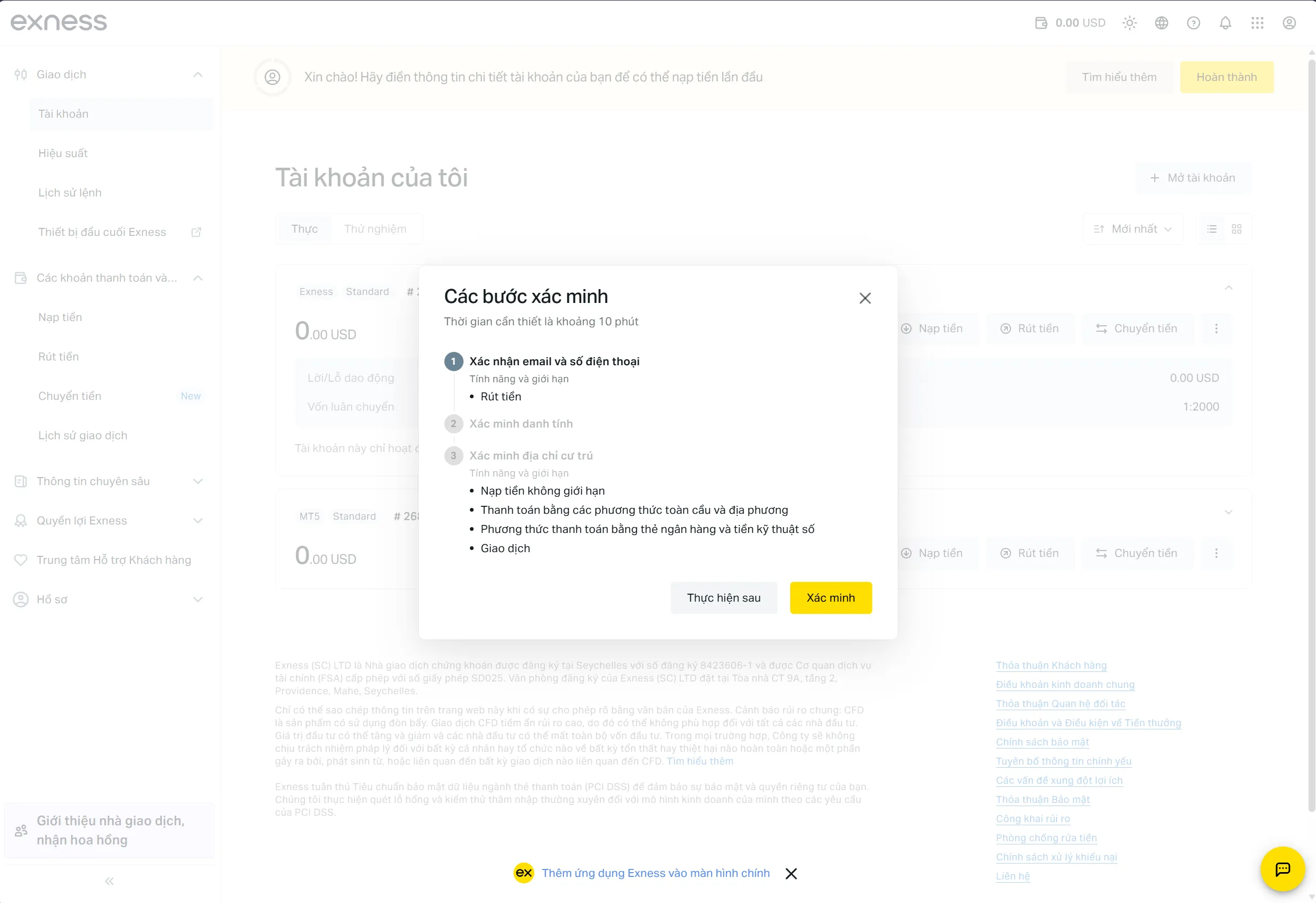
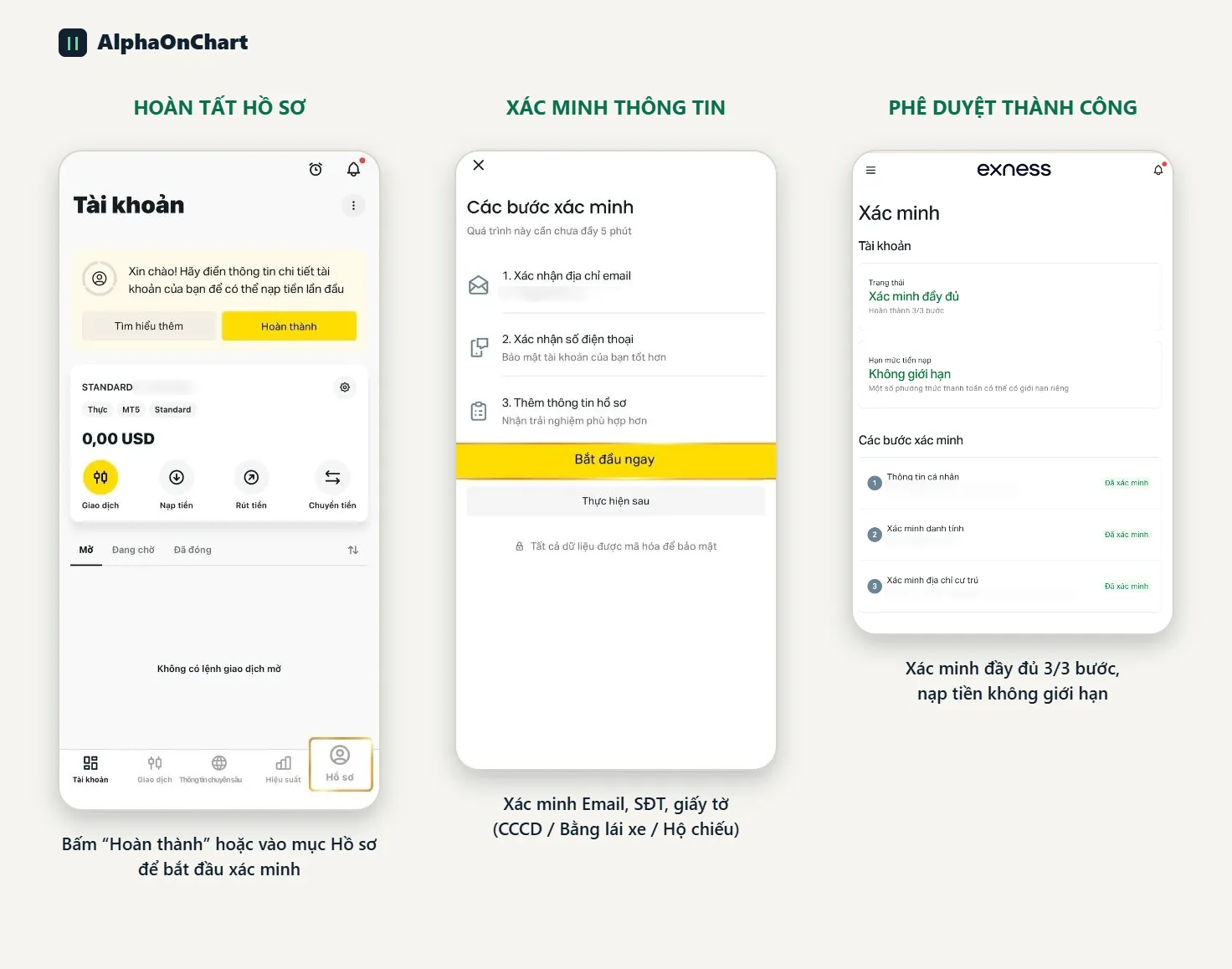
Exness sends verification codes to your email and phone number. Enter them in the matching fields. Once you finish signing up, the system shows a “Verification steps” panel with 3 items: confirm email and phone number, verify identity, and verify residential address.
- 05
Verify your identity and residential address (KYC)
Click “Verify” in the “Verification steps” panel, then: • Upload the front and back of your ID card, or your passport information page • Upload your proof of address Photos must be sharp, show all four corners and not be covered or glaring. Completing all 3 items unlocks unlimited deposits, multiple payment methods and trading. You can click “Do it later”, but you cannot deposit until verification is complete.
- 06
Choose the account type and the MT5 platform
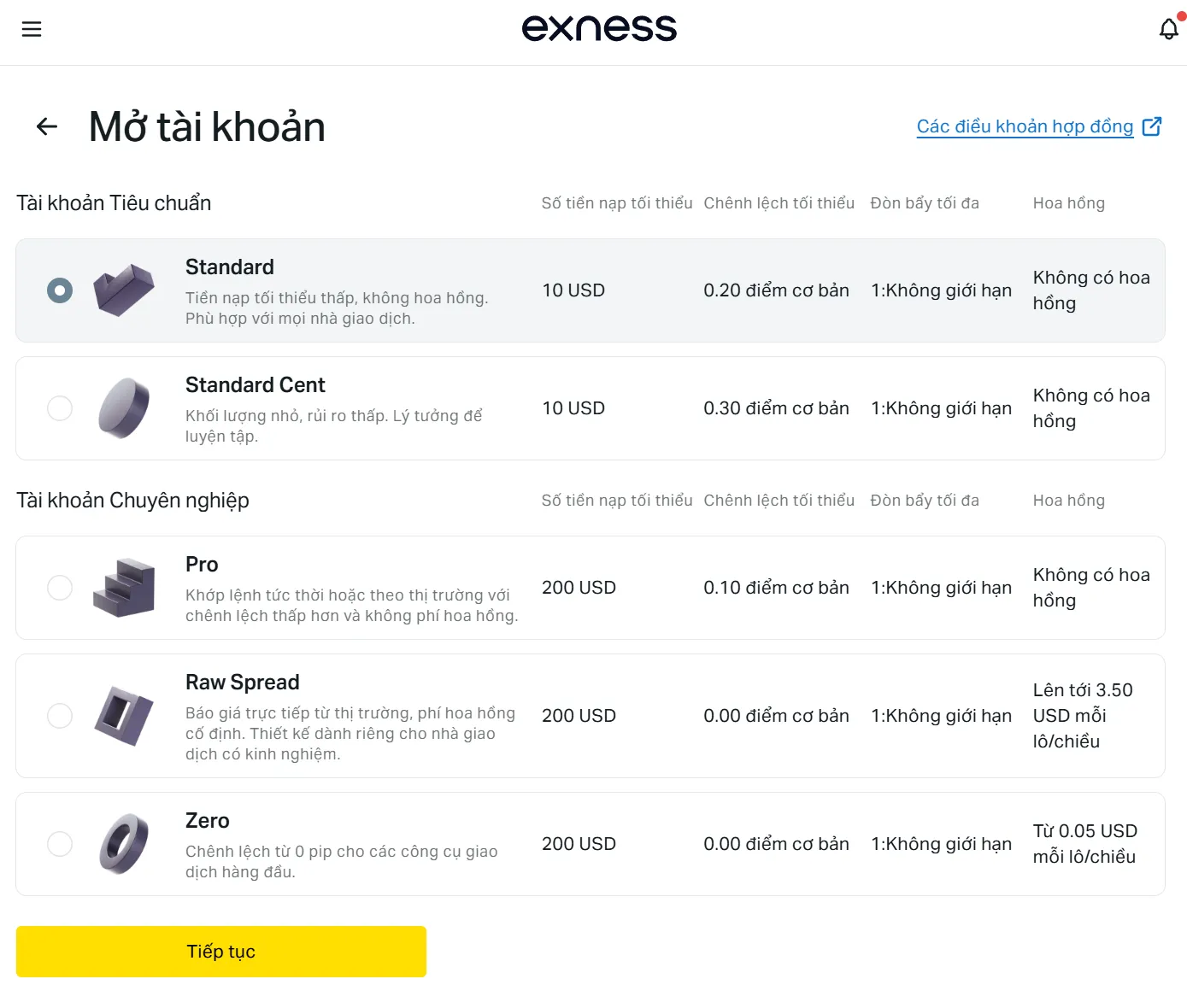
In “My accounts”, click “Open account” and choose: • Account type: Standard suits beginners; Raw Spread or Zero suit scalping and running EAs • Platform: MT5 (works with AlphaOnChart's exclusive Indicators/EAs) • Currency: USD A Real account is for live trading and a Demo account is for practice.
- 07
Deposit funds and send your account ID to AlphaOnChart
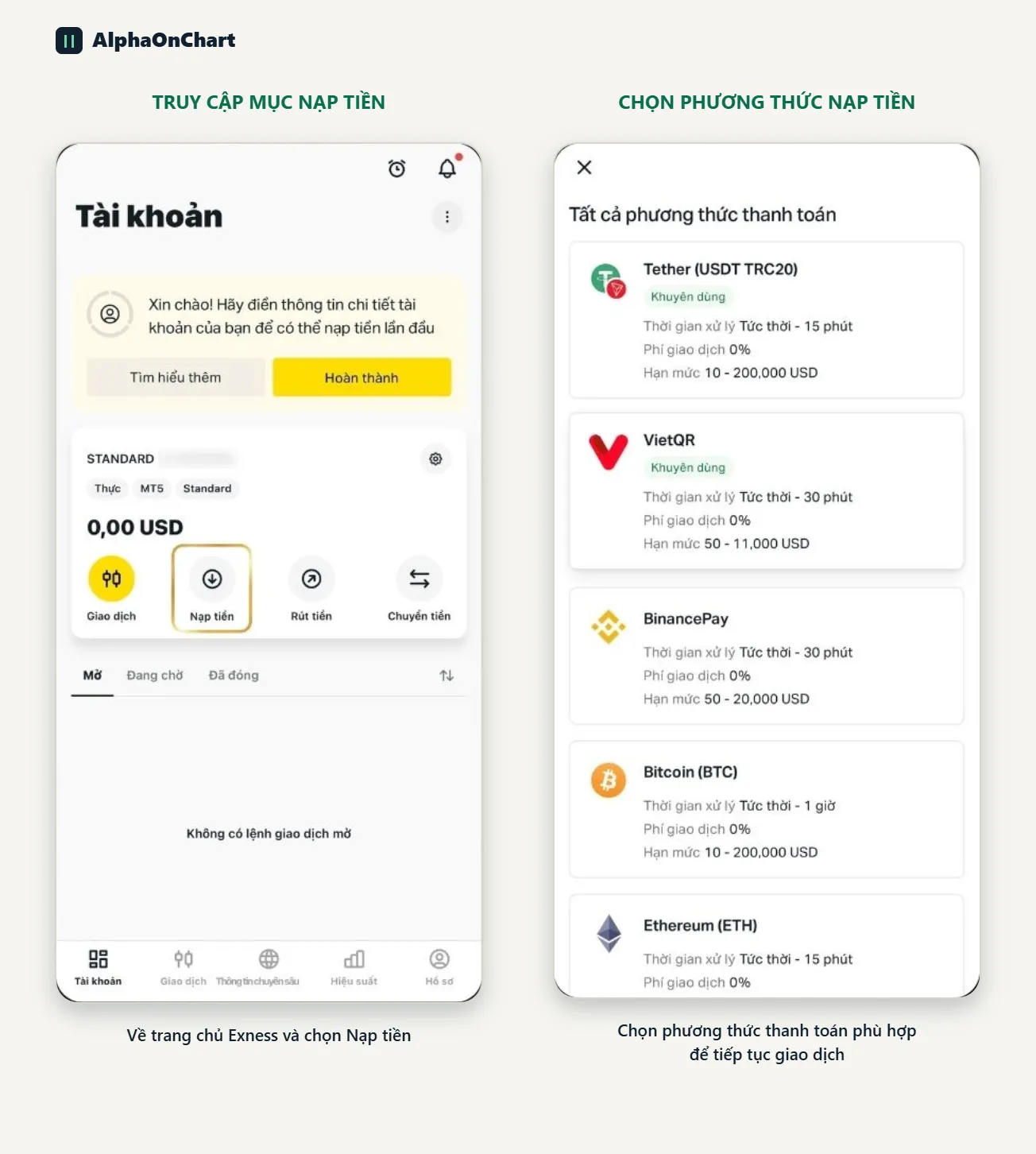
Go to “Deposit” and choose a suitable method (local bank, e-wallet or crypto). Then send your trading account ID (the number of your MT5 account) via Telegram @alphaonchart. You will be activated for: • 100% IB commission refund (Exness calculates this separately under the broker's policy) • XAUUSD analysis updated twice a day • The signal group and community • Exclusive Indicators and EAs